Get Boogso on your phone
Free to download. Free to use for finding care, booking, and keeping your records. You pay providers for care, and nothing to us.
The app is a preview. Create your account below. Once you have an account, the web app works on any phone, Android or iPhone: open it in your browser and add it to your home screen.
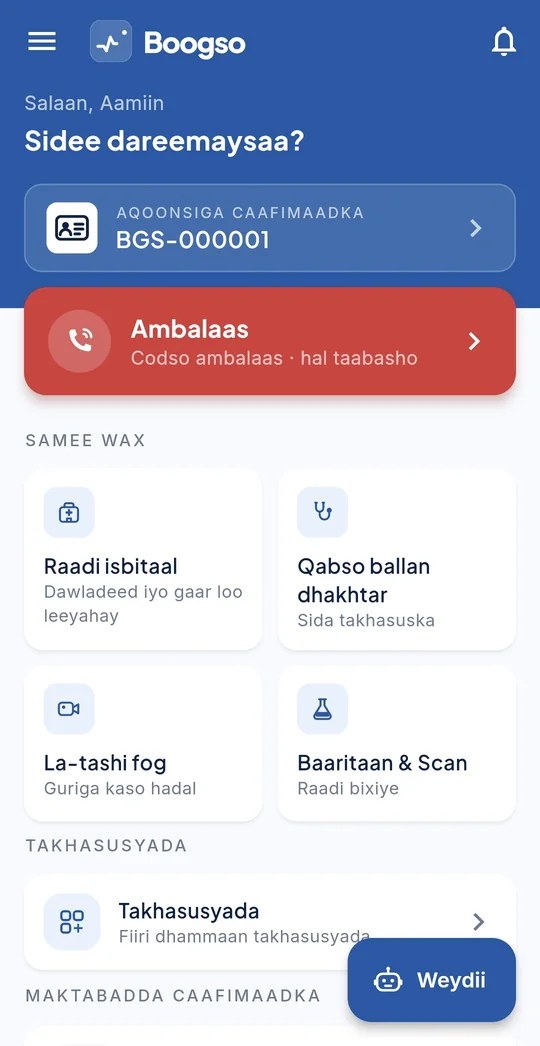
Preview access
Create your Boogso preview account
Fill in the form and your account is ready straight away. Sign in at pwa.boogso.com with your mobile number and the password you choose here.
- This is a preview. Things will change and some parts are not finished.
- Payments are not real. No money moves, whatever the app shows.
- Not for emergencies. If someone needs urgent care, call or go to a clinic now.
- Use your own number. When Boogso starts sending SMS codes, we will ask you to confirm it with a code. Whoever holds the number can then claim it, so an account made on someone else’s number won’t last.
Create your account
First run
Setting up takes about a minute
Choose your language and region
Somali or English, and the region you're in so we show you providers nearby. Both can be changed later from settings.
Sign in with your phone number
During the preview you choose your password on the request form and sign in straight away. When SMS codes start, we will ask you to confirm your number once. No email address needed.
Get your Health ID
Issued immediately and shown on your profile. From here, everything attaches to it.
Permissions
What the app asks for, and why
Every permission below is optional except the first, and the app tells you what it's for at the moment it asks — not in a block on install.
- Phone number. Required. It's your account and how a clinic reaches you about a booking.
- Location. Optional. Used to attach coordinates to an ambulance request and to sort providers by distance. Decline it and you can type a location instead.
- Notifications. Optional. Appointment confirmations, reminders and results. Nothing promotional.
- Storage. Optional. Only to save a record or receipt to your own device when you ask to.
Android or iPhone
Boogso is in preview as a web app. It works on any phone: open it in your browser and add it to your home screen. The Google Play and App Store apps come next, and we'll announce them on this page.
Open the web appIf something goes wrong
Common problems
I never received the SMS code
Codes can take a minute on congested networks. Check that the number you entered includes the correct country code, wait sixty seconds, then request a new code. If it still doesn't arrive, message us on the contact page with the number you used and we'll check the delivery log.
The web app won't open or install
Open pwa.boogso.com in Chrome — on Android or iPhone. To put it on your home screen, open the browser's menu or Share button and choose Add to Home Screen (some phones say Install app). If the page stays blank, check your connection and reload; on an older phone, update Chrome first. It still won't open? Message us on the contact page with your phone model.
It says my location isn't available
Turn on location in your phone's settings and allow Boogso to use it. If you're indoors it can take a few seconds to get a fix. You can always send an ambulance request without location and describe the pickup point instead.
I changed my phone number
Your Health ID and records belong to you, not to the SIM. Contact us from the app or by email and we'll move your account to the new number after verifying it's you.